Directory

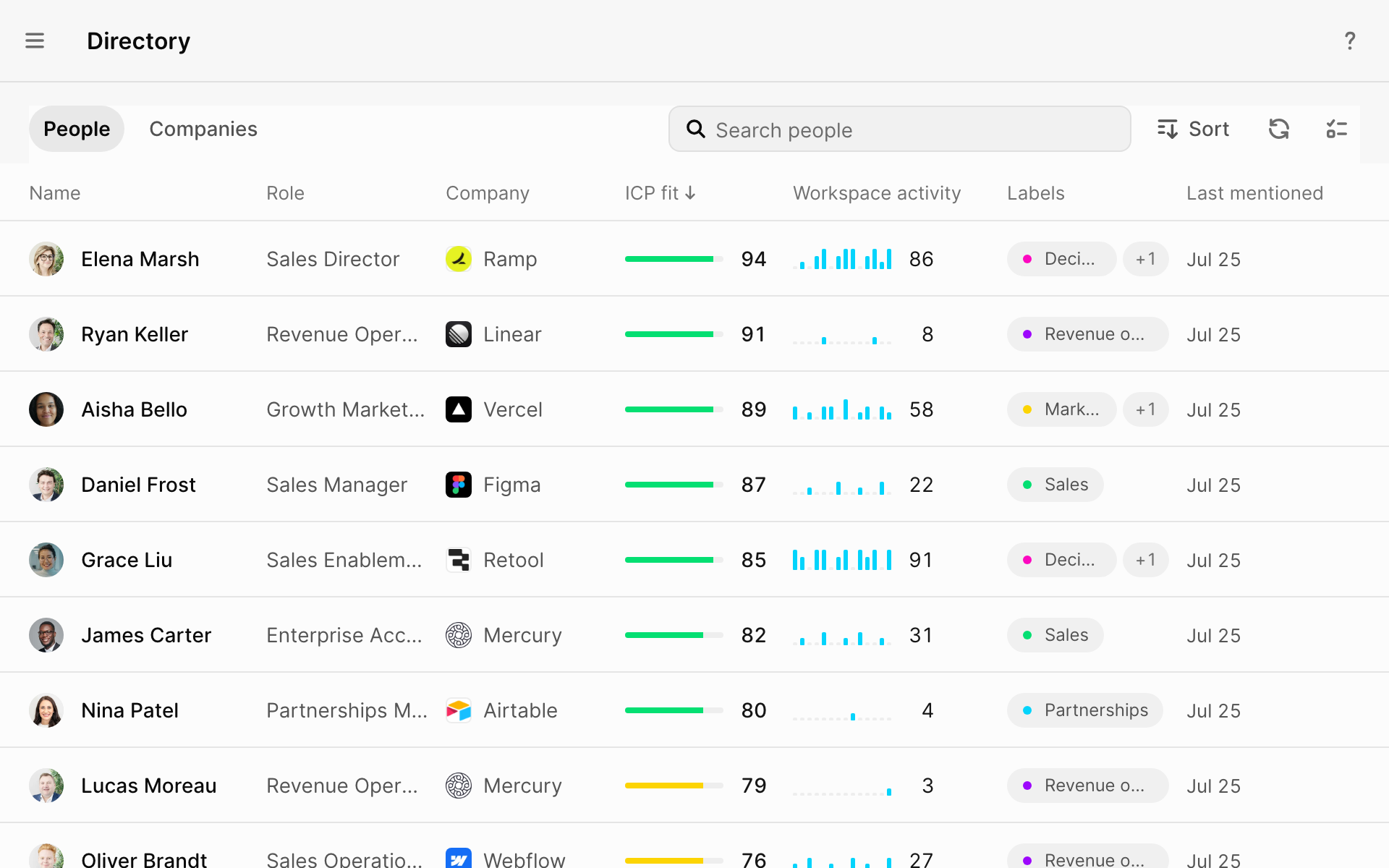
The Directory is your team's list of people and companies, like a simple CRM that fills itself in. Each profile shows who they are, how well they fit and what your team and agents did with them.
Where
Directory in the sidebar
You'll need
Nothing. It fills itself in.
Result
Everyone your team works with, scored for fit
How people get added
GTM only adds people and companies you save or act on. Seeing a name somewhere isn't enough.
| When you | GTM adds |
|---|---|
| Select Add person or Add company | That person or company |
| Ask GTM to save someone | The people or companies you named |
| Prepare for, schedule or record a meeting | Everyone in the meeting, and their companies |
| Draft a message to someone | That person and their company |
| Research one company in chat | That company and the people GTM confirmed work there |
| Get a chat answer listing five or more people or companies | Each one that passes the checks below |
| Run an agent that finds prospects | The confirmed people it found, and their companies |
When a chat adds someone, it tells you, like "Saved Rippling and 2 people to your Directory."
What GTM doesn't add
- Companies that come up only when you research a market or technology in general
- Competitors, comparisons and passing mentions
- Anyone when you say "don't save"
- Names that only come up in passing in
 Slack, web pages or agent runs. These add notes to people already saved.
Ask to "research Acme and its main competitors" and only Acme is added.
What's on a profile
Select anyone to open their profile.
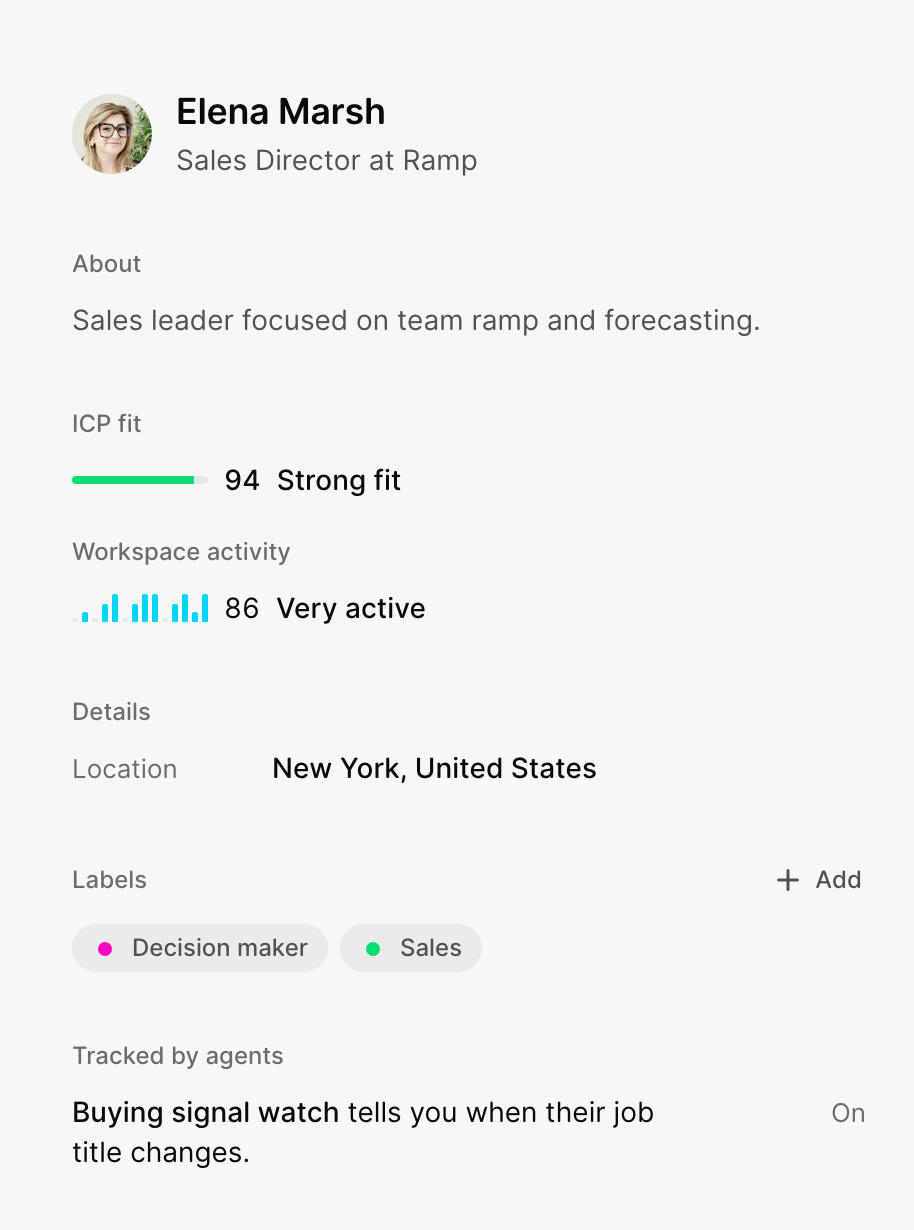
| Part | What it tells you |
|---|---|
| ICP fit | 0 to 100. How well they match the customers in your Company Brief. |
| Workspace activity | How much your team worked with them in the last 7 days |
| Labels | Your own tags, like "Decision maker" |
| Tracked by agents | Which agents watch them, and for what |
High fit and low activity? That's a good person nobody is talking to yet.
How GTM checks who it finds
When GTM finds someone for you, it checks them first:
- People need a real
 LinkedIn profile and a confirmed current job at their company.
 - Companies need their own website among the sources GTM read.
People and companies you add yourself skip these checks.
Good to know
- No duplicates. GTM recognizes people and companies it already has.
- Details fill in on their own. GTM looks up the rest of a new profile.
- Trash stays in Trash. GTM won't bring back someone you deleted. Restore them from Settings → Data → Trash.
- Same audience as the chat. Someone saved from a chat is visible to whoever can see that chat.
What did you think of this content?