
Connect your  Gmail so agents can email new people from your own address. By default, you approve every email first.
Where
Settings → Email
You'll need
A Google work account
Result
First emails go out from your Gmail
Which address sends what
GTM can send from three kinds of address.
| Address | What it sends | Daily limit |
|---|---|---|
| Your Gmail |
First emails to new people. Replies go to your Gmail. | 10, growing to 40 |
 Your own domain Your own domain |
First emails, from an address like tuck@agents.acme.com. Replies come to your Inbox. |
20, growing to 100 |
 Agent address Agent address |
Replies, and emails to your team. Ready from day one. | 10 a day for your workspace |
Just starting? Connect Gmail. Emailing lots of new people every day? Connect a domain too, so cold email doesn't affect your Gmail.
Connect Gmail
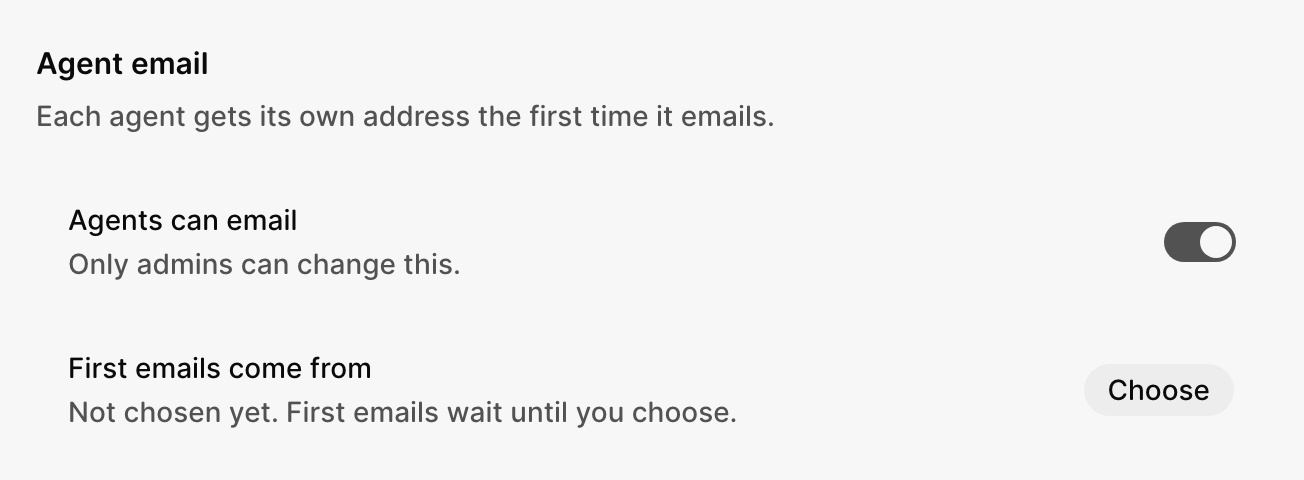
1 Open Settings → Email
Next to First emails come from, select Choose.
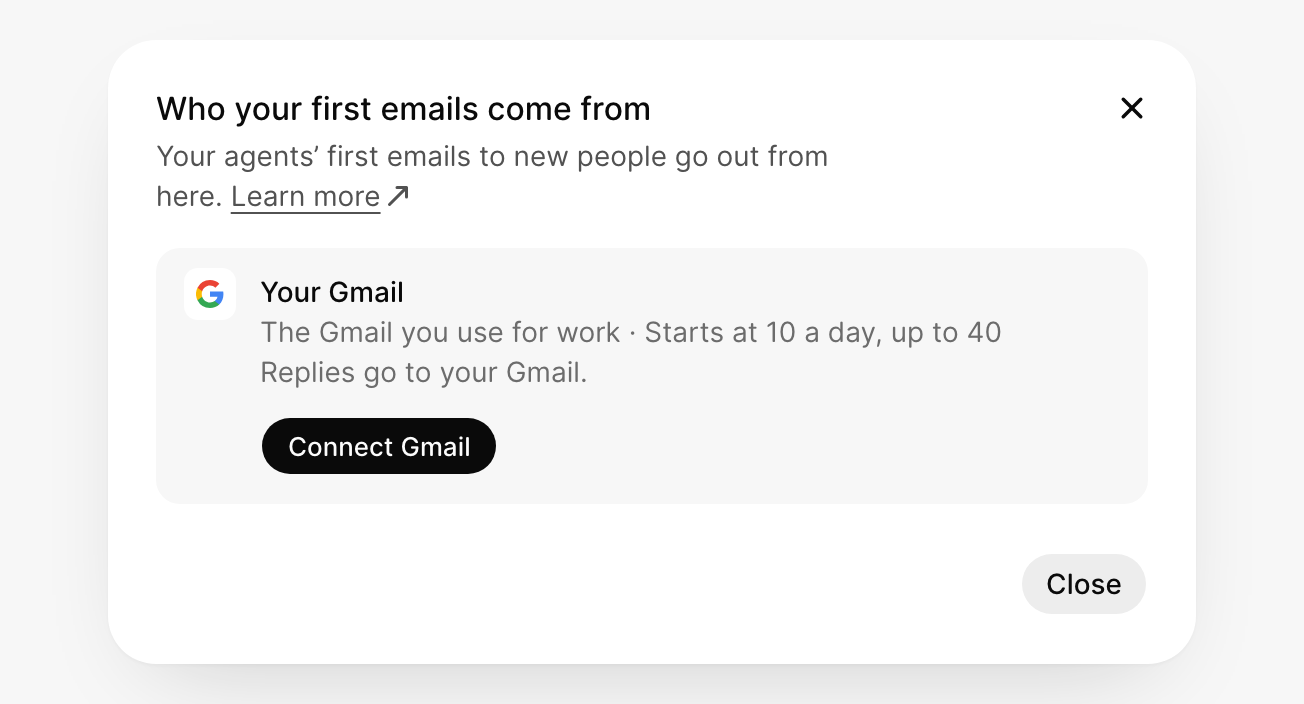
2 Select Connect Gmail
Sign in with your Google work account. Leave every box checked, then select Continue.
If Google says it hasn't verified the app, select Advanced, then Go to GTM Work (unsafe).
3 Check it says In use
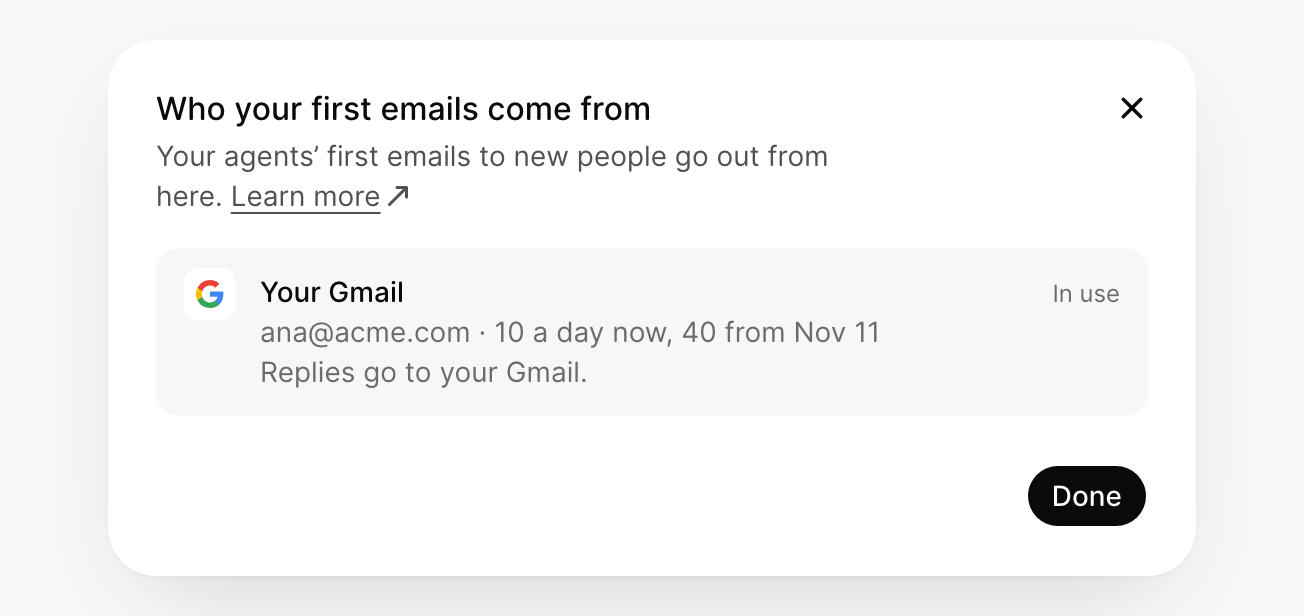
4 Add your business address
The law requires a postal address at the bottom of first emails. An admin adds it: in Settings → Email, select Add next to Business address. A PO box works.
Why limits start low
Inboxes like Gmail and Outlook decide whether to trust you by how you send. A new sender that suddenly emails lots of strangers looks like spam. So GTM starts slow and sends more each week. This is called warm-up.
| Week | Gmail | Your own domain |
|---|---|---|
| 1 | 10 a day | 20 a day, then 50 from day 4 |
| 2 | 20 a day | 100 a day |
| 3 | 30 a day | 100 a day |
| 4 and after | 40 a day | 100 a day |
Every person an agent emails counts, including Cc and the agent's replies. Replies you write yourself in the Inbox don't count. Limits reset at midnight UTC. See what's left today in Settings → Usage.
Good to know
- New workspaces: until GTM approves your workspace, agents can email only its own members, up to 3 a day.
- Agents can email, in Settings → Email, turns email on or off for the whole team. Only admins can change it.
- Blocked addresses never get email from GTM. People who unsubscribe or bounce are added on their own.
- To change who an email comes from, select Change sender on it. Your next emails use that address too.
If something goes wrong
Allow pop-ups for GTM Work
Allow pop-ups for this site, then select Connect Gmail again.
Google didn't allow sending
Select Sign in next to First emails come from, then Sign in again, and leave every box checked.
Google signed you out
Select Sign in next to First emails come from.
Your workspace doesn't allow sending from Gmail
Ask an admin to allow it.
Disconnect
In Integrations, open Google Workspace and select Disconnect. This also removes GTM's access to your Calendar and files.
What did you think of this content?