Activity

Activity is a timeline of everything that happened in your workspace: what you, your teammates, your agents and your connected apps did. Newest first, updated live.
Where
Activity in the sidebar
You'll need
Nothing. It fills in as your team works.
Result
A timeline of everything that happened
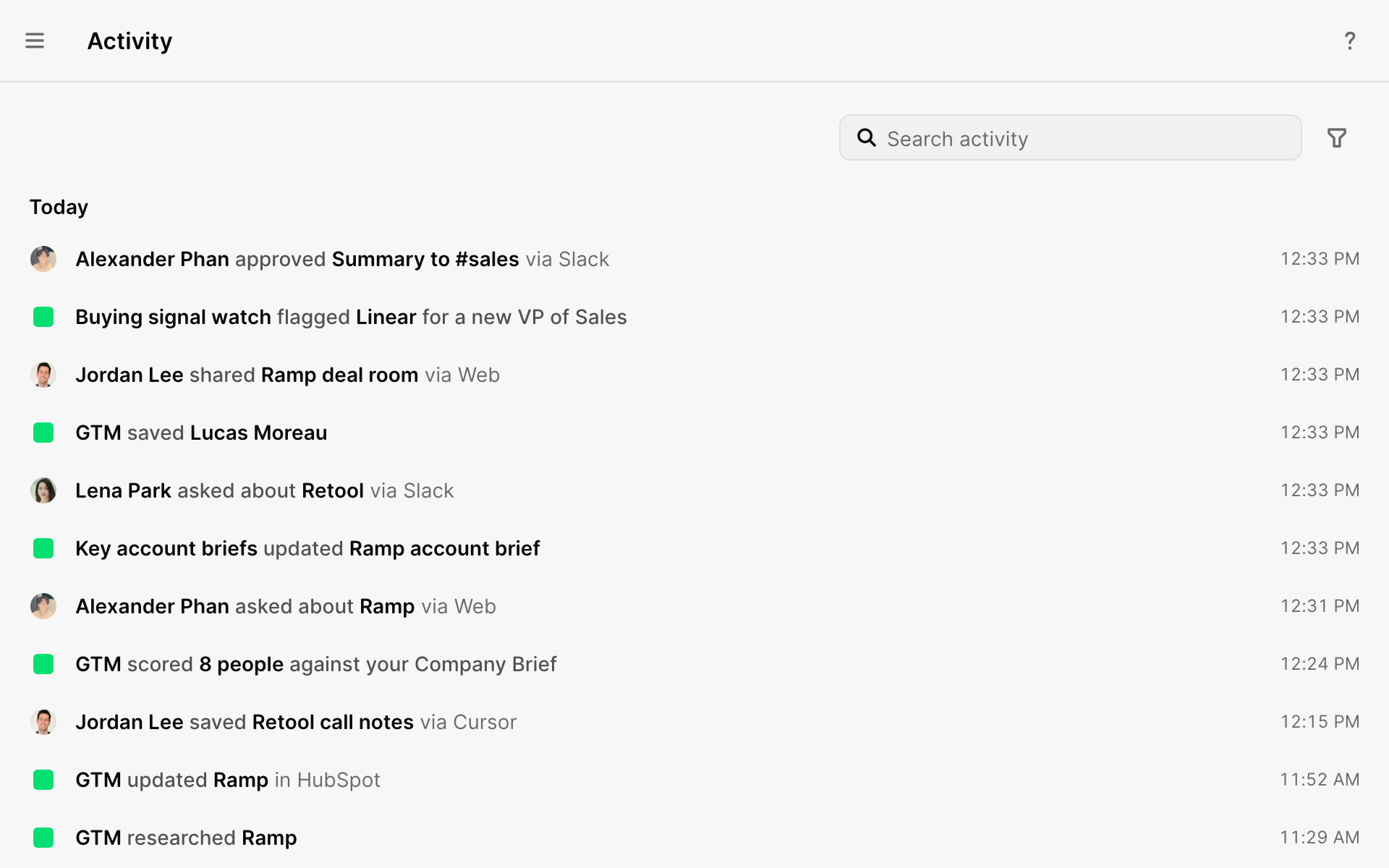
What shows up
| Kind | Example |
|---|---|
| Results | People added, emails sent, CRM records updated, apps connected |
| Tasks | An agent's run, from in progress to done or needs attention |
| Research | One row for each finished answer, linked to its chat |
| Failed sends | An email that didn't go out, and what to do about it |
| Updates from apps | A change GTM noticed in your CRM. It didn't make the change. |
Small steps, like each search an agent ran, stay inside the chat.
Who did it
Each row reads like a sentence: "You updated Acme in  HubSpot via
  Codex."
- Work you asked for shows your name.
- Agents show their own name.
- Work GTM did on its own shows GTM.
- A teammate's private agent shows as "[name]'s agent".
Filters
| Filter | Shows |
|---|---|
| All | Everything |
| Agents | Work by your team's agents |
| AI tools | Work from  Claude, Claude,  ChatGPT, Codex, ChatGPT, Codex,  Cursor and other AI tools Cursor and other AI tools |
| People | You and your teammates |
| GTM | Work GTM did on its own |
| Apps | Your connected apps |
| System | Workspace and setup changes |
On a profile
Every person and company in the Directory has its own Activity, with everything that involved them.
Choose what AI tools add
If you use GTM inside an AI tool, choose what it adds here. Go to Integrations → AI tools → What GTM shows. Each AI tool has its own setting. Work only is the default. Messages and work is only offered for Claude Code, Codex and Cursor.
| Option | Adds to Chats | Adds to Activity |
|---|---|---|
| Messages and work | Your messages and the AI's replies | Searches, updates and saved results |
| Work only | Nothing | Searches, updates and saved results |
| Nothing | Nothing | Nothing |
What did you think of this content?