Connect a domain

Give your agents their own email addresses, like tuck@agents.acme.com, so cold email stays away from your team's inboxes.
Where
Settings → Email
You'll need
Admin access, and a domain you own (or buy one here)
Result
Agents get their own email addresses
Why use a separate domain
A domain is the part of an email address after the @. Inboxes judge every domain by how it sends. Lots of first emails to strangers from acme.com could send your team's everyday email to spam.
A subdomain like agents.acme.com is judged on its own. Your agents use it, and your team keeps emailing from acme.com as usual.
Pick a way
| Way | Best for | Takes |
|---|---|---|
| Buy a new domain | The easiest setup. GTM does everything. | About 5 minutes |
| Use one you own, one click | Domains at  Cloudflare, Cloudflare,  Vercel or another host GTM works with Vercel or another host GTM works with |
A few minutes |
| Use one you own, add records | Domains anywhere else | Up to 2 days |
All three start in Settings → Email → Use your own domain. Only admins can do this.
Buy a new domain
1 Pick a name
Select Buy a new domain and search. Pick an available name. It's included in your plan.
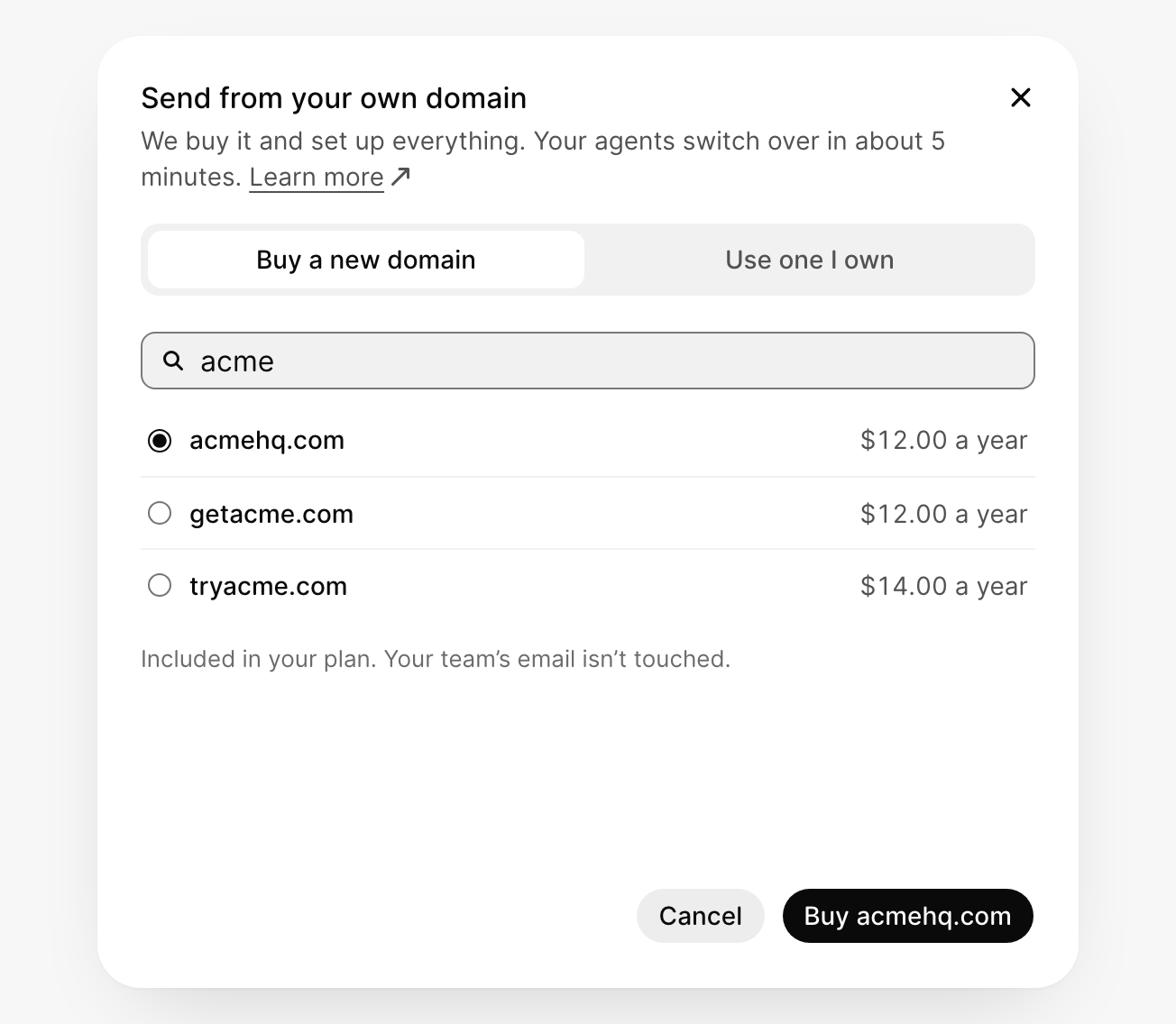
2 Select Buy and the name
Like Buy acmehq.com. GTM buys it and sets everything up. Your agents switch to it in about 5 minutes.
Use a domain you own
1 Enter your domain
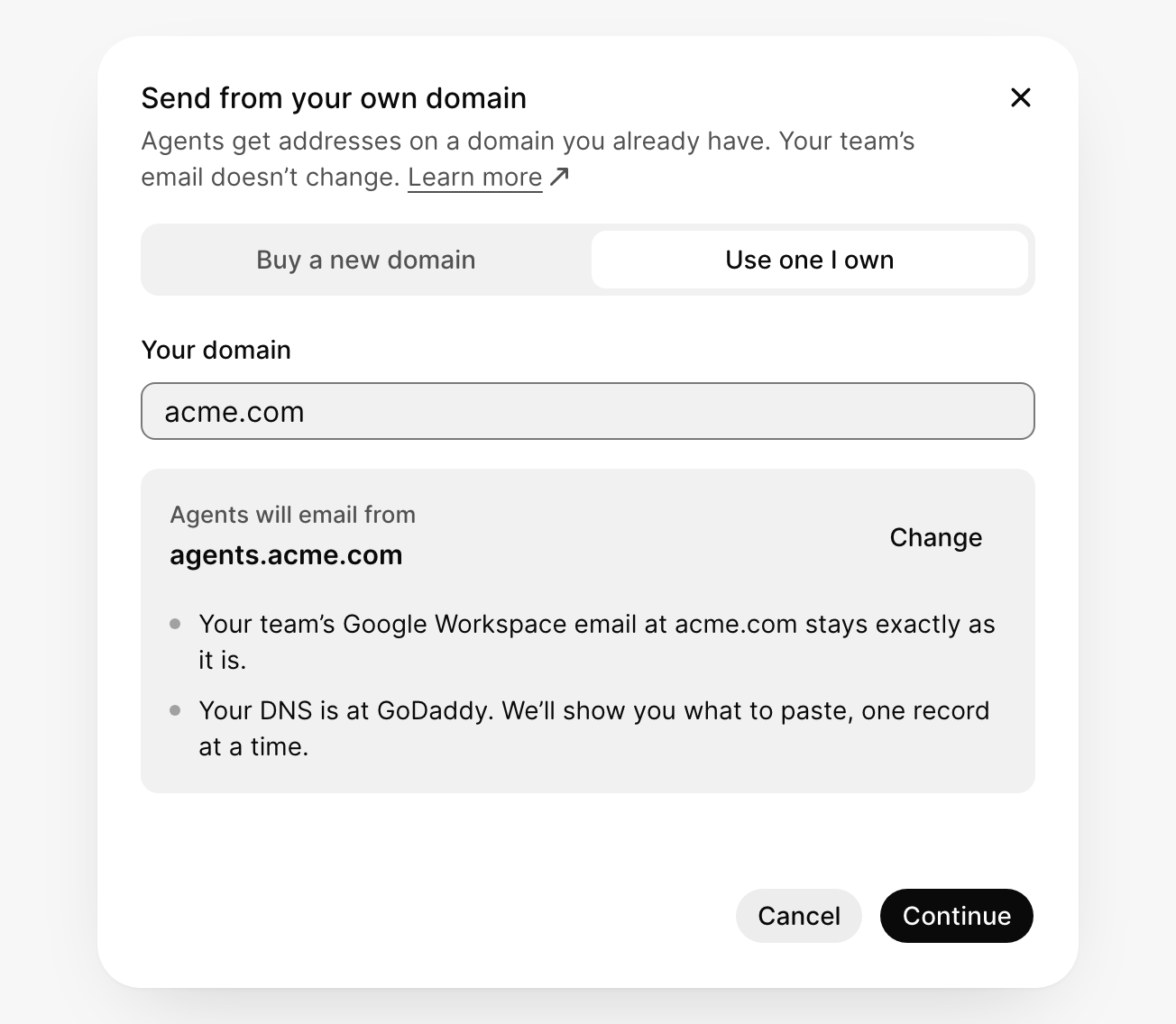
Select Use one I own and type your domain, like acme.com. GTM suggests a subdomain for your agents, agents.acme.com. Select Change to pick another name.
2 Add the DNS records
Your domain needs a few new settings, called DNS records. There are two ways to add them.
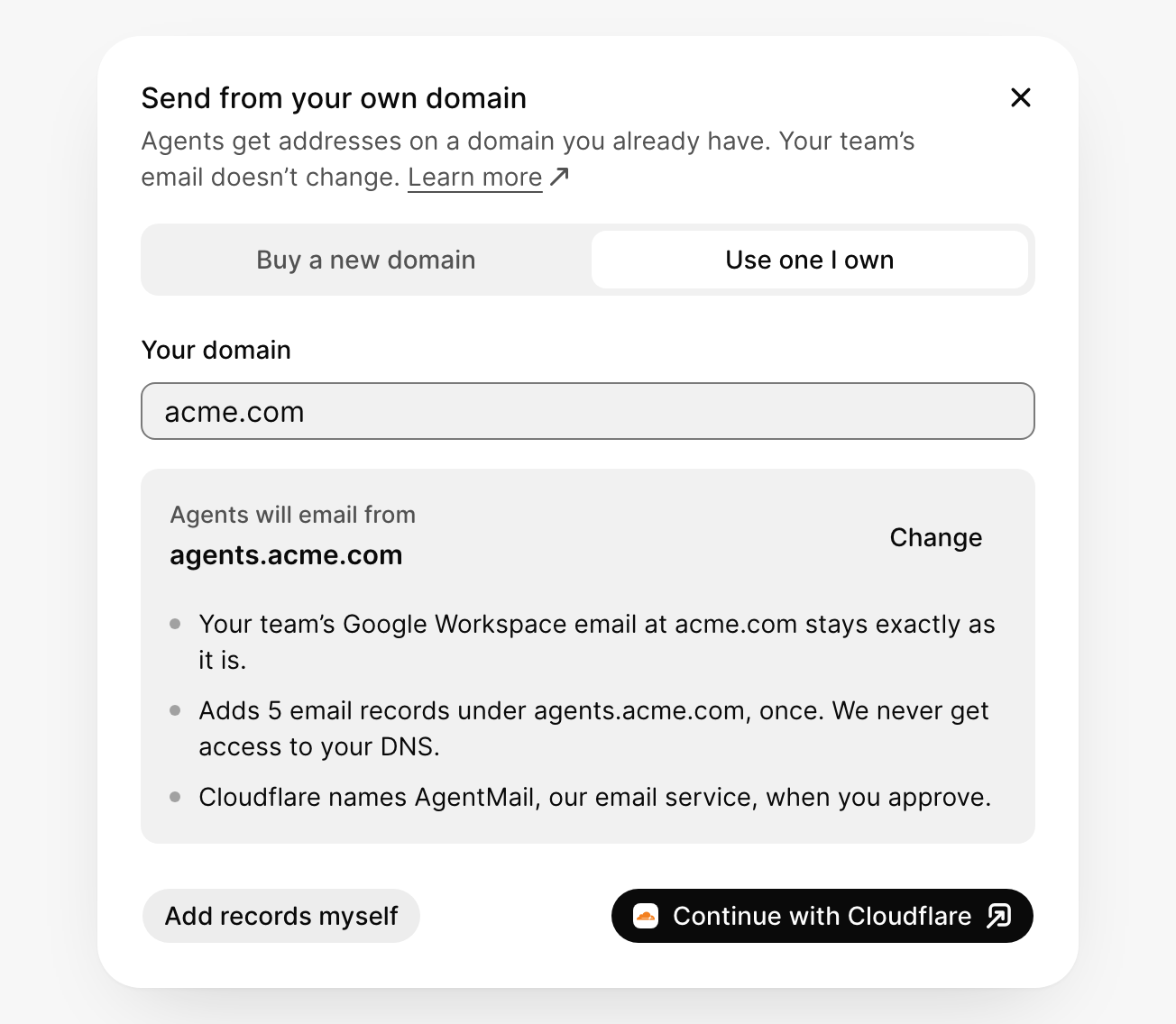
Let GTM add them. If your domain is at a host GTM works with, select Continue with and your host, like Continue with Cloudflare. Sign in and approve, and GTM adds them for you.
Add them yourself. Select Add records myself (or Continue, if GTM can't add them for you). GTM shows each record and where it goes. Copy each field into your host's DNS page; GTM uses your host's own field names.
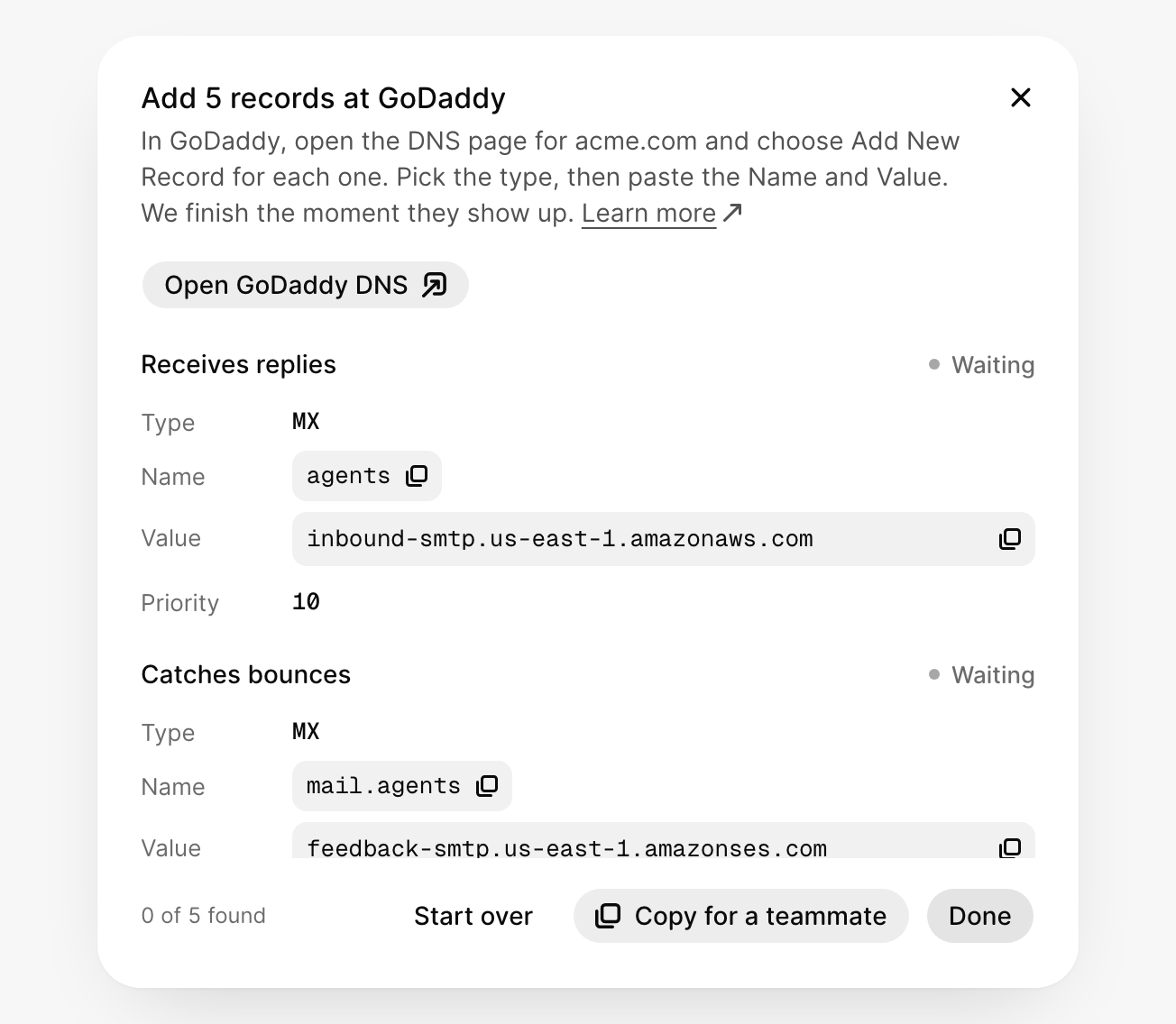
Not sure how? Select Copy for a teammate and send it to whoever manages your website.
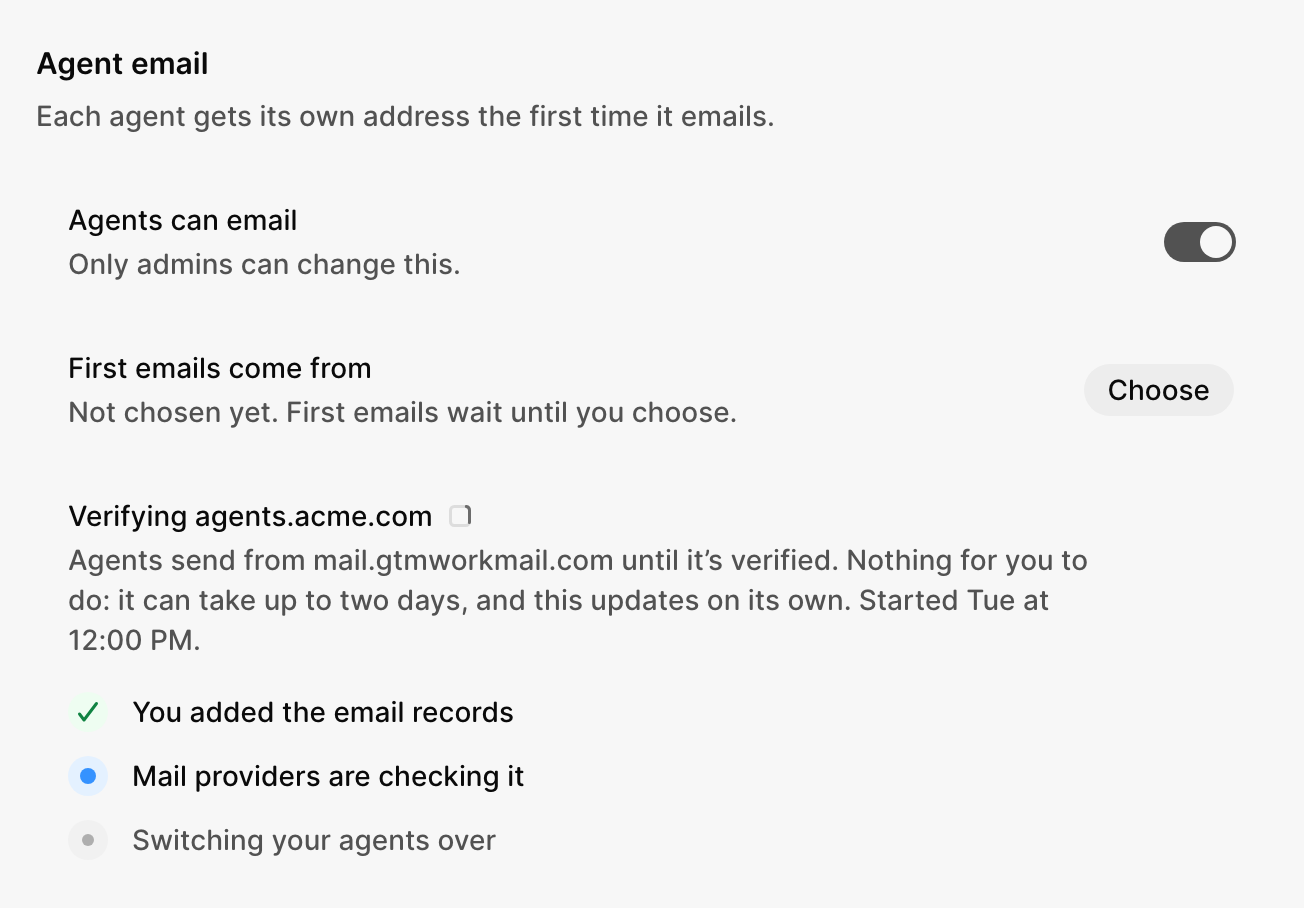
3 Select Done and wait
GTM checks the records for you and switches your agents over when they're ready. This takes a few minutes to 2 days. You can close the window.
What the records do
You don't need to understand these to set them up. Together they prove to inboxes that GTM may send email for your subdomain.
| Record | What it does |
|---|---|
| MX | Receives replies |
| MX | Catches bounced emails |
| TXT (SPF) | Says GTM may send for you |
| TXT (DKIM) | Signs every email so it can't be faked |
| TXT (DMARC) | Tells inboxes to trust only signed email |
If something goes wrong
acme.com already receives your team's email
Use a subdomain, like agents.acme.com.
A record says Needs a fix
Follow the note under the record: paste only the name GTM shows (hosts like GoDaddy add your domain on their own), replace an old value, or add GTM's part to the SPF record you already have.
agents.acme.com is missing a record
It shows your domain's name. An admin selects Fix it and adds the record again.
Still verifying after 2 days
What did you think of this content?